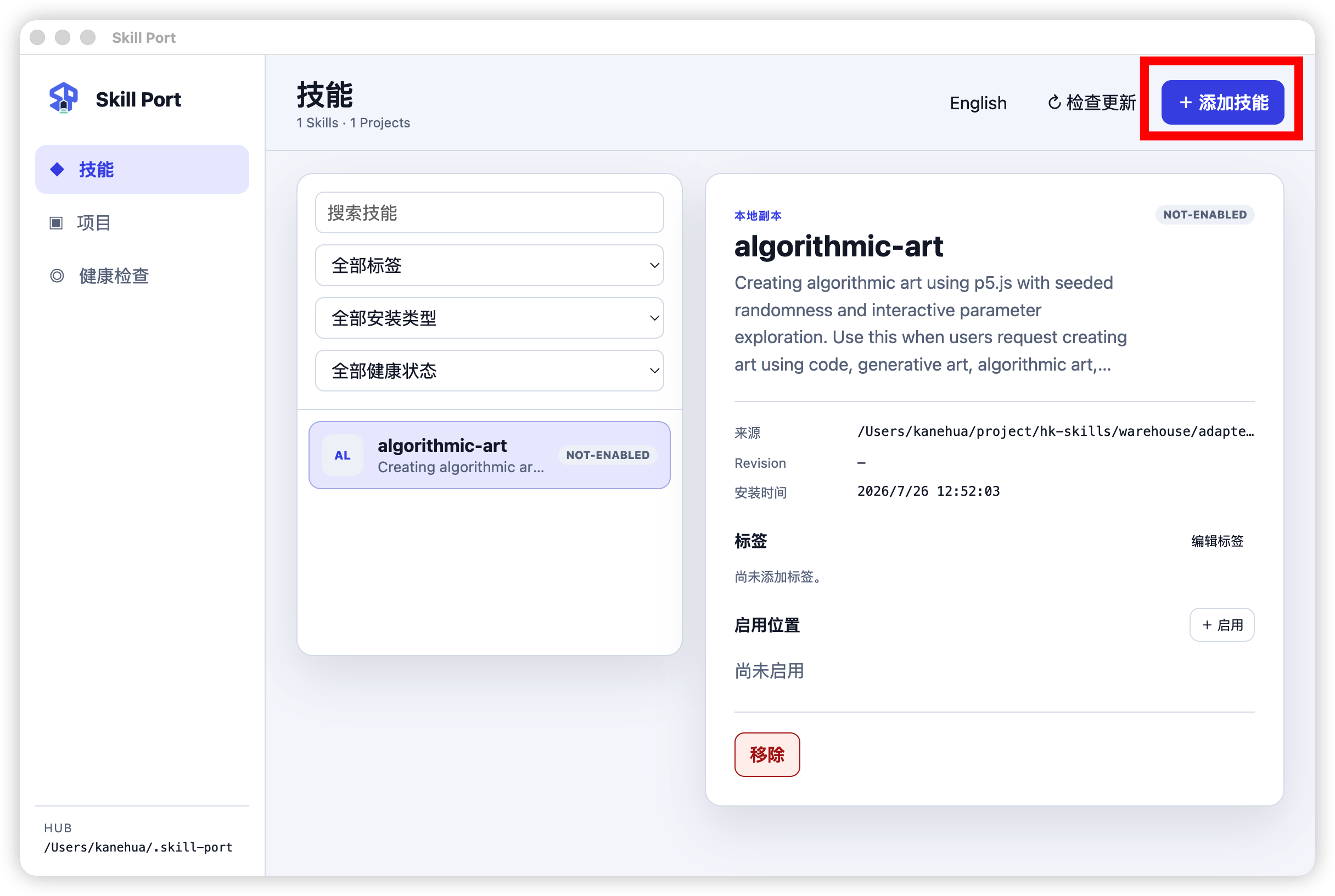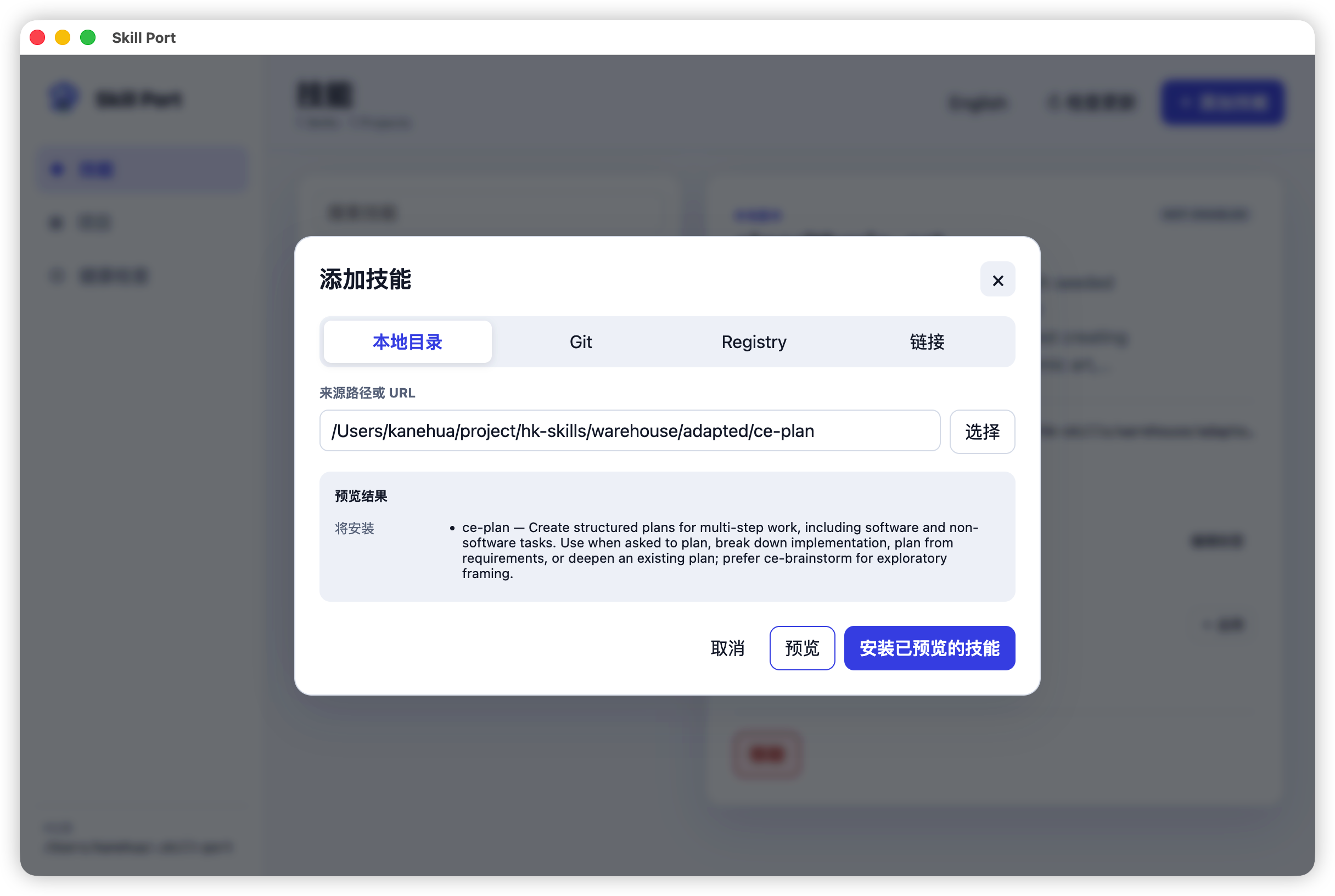
Project overview
- Problem: Skills were scattered across agent and project directories. Repeated copies made ownership, updates, and provenance hard to track.
- Approach:
~/.skill-portis the single Hub. It distinguishes install/link and project/global enablement, while CLI and Desktop share one service layer and SQLite schema. - Result: One Skill can be enabled for multiple projects or globally. Removal only touches resources recorded by Skill Port; linked source directories and unmanaged entries stay untouched.
- Requirements: CLI requires Node.js ≥ 22.16. Installing from Git also requires the system Git client. Desktop release notes currently record version
0.1.4.
What it is
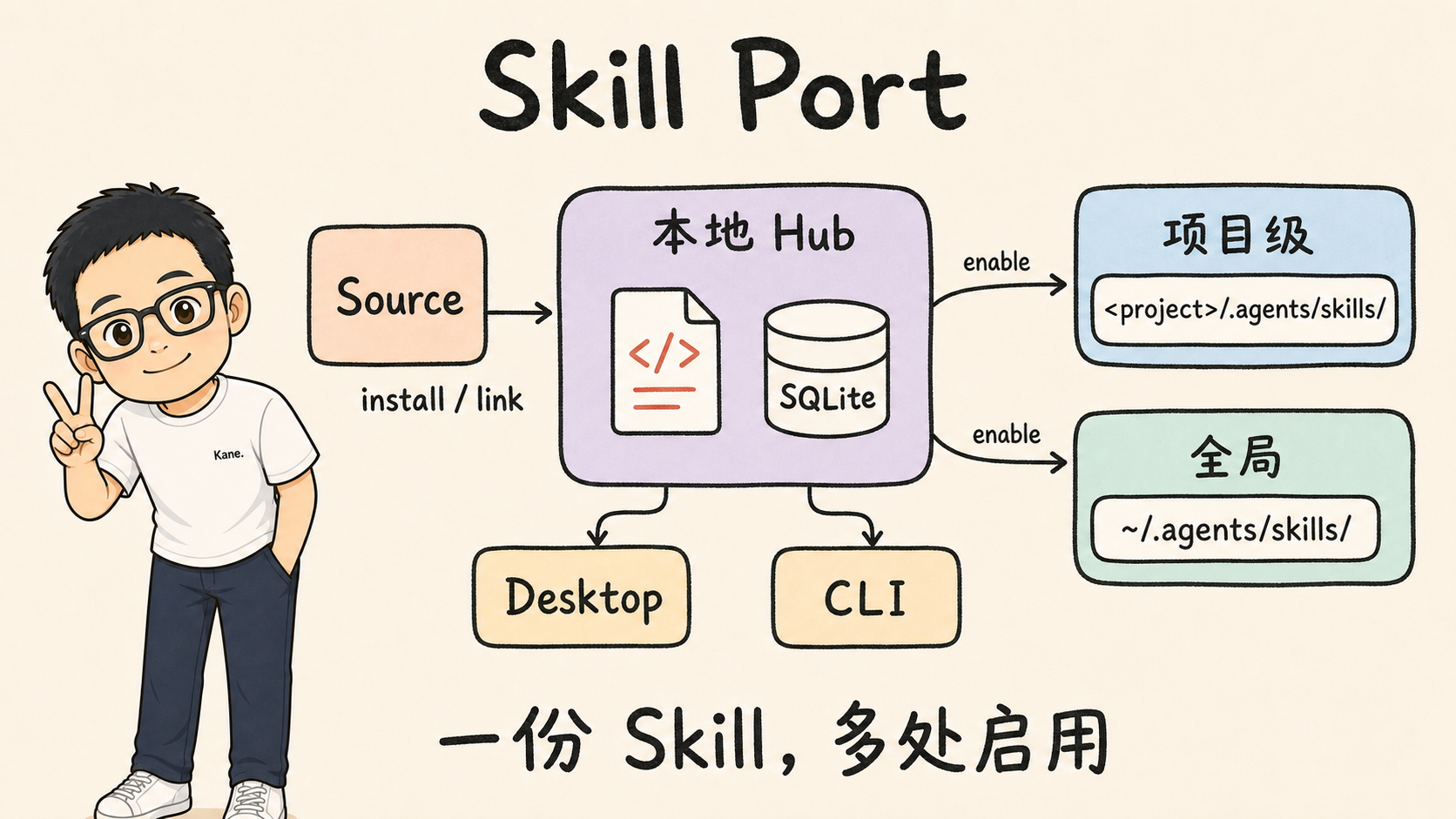
Skill Port maintains a local Hub at ~/.skill-port, where each Skill is stored once. An explicit enable operation exposes that Skill to a project or to the global agent directory. One Hub can serve many projects, and CLI and Desktop use the same data and schema.
- Desktop is for people: choose directories, press buttons, and inspect state.
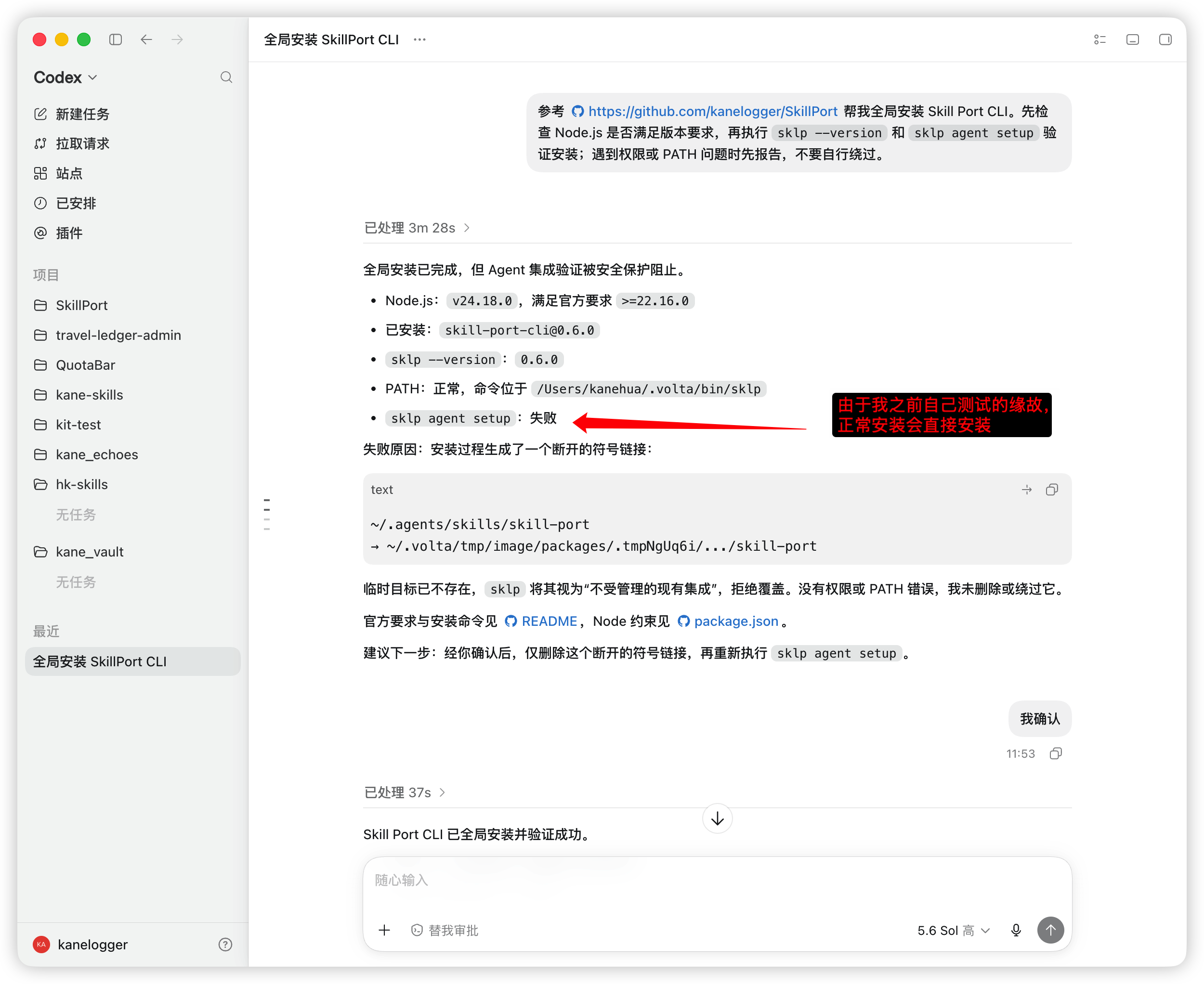
- CLI is for agents: after installation, an agent can manage Skills directly. Installation registers a built-in management Skill at
~/.agents/skills/skill-port; compatible agents discoversklpwithout a manualAGENTS.mdedit.
The practical result
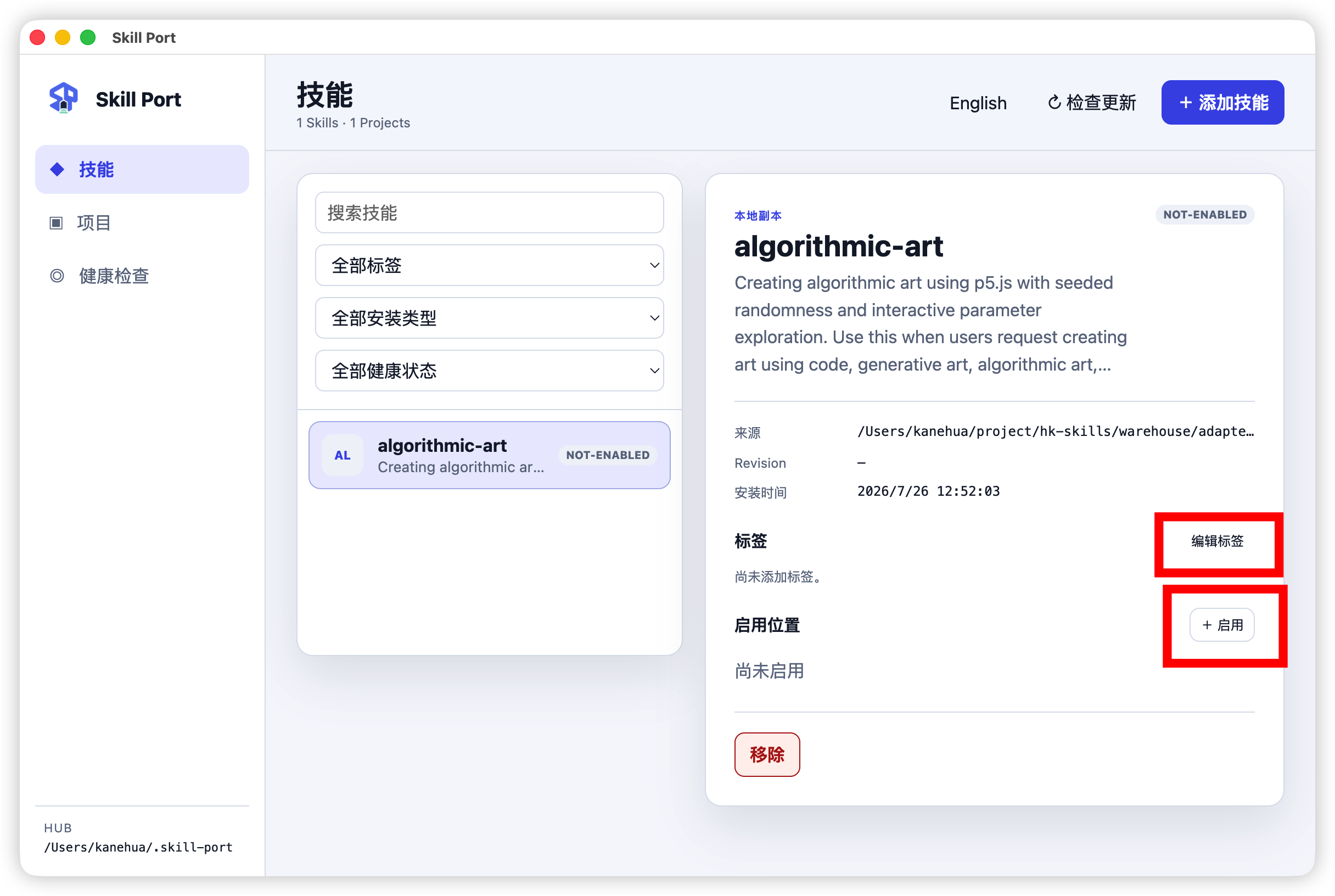
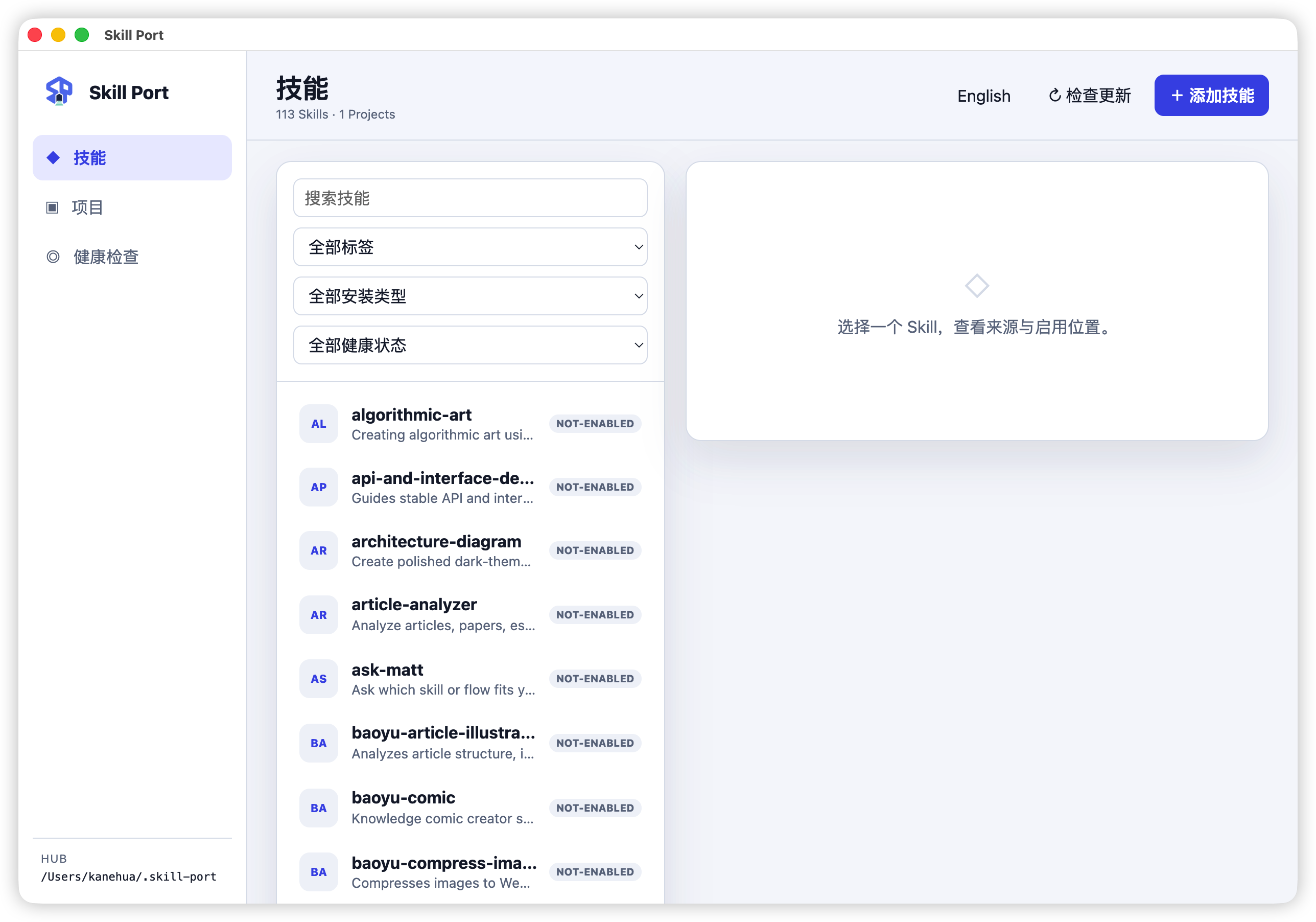
Design
The Hub is the source of truth
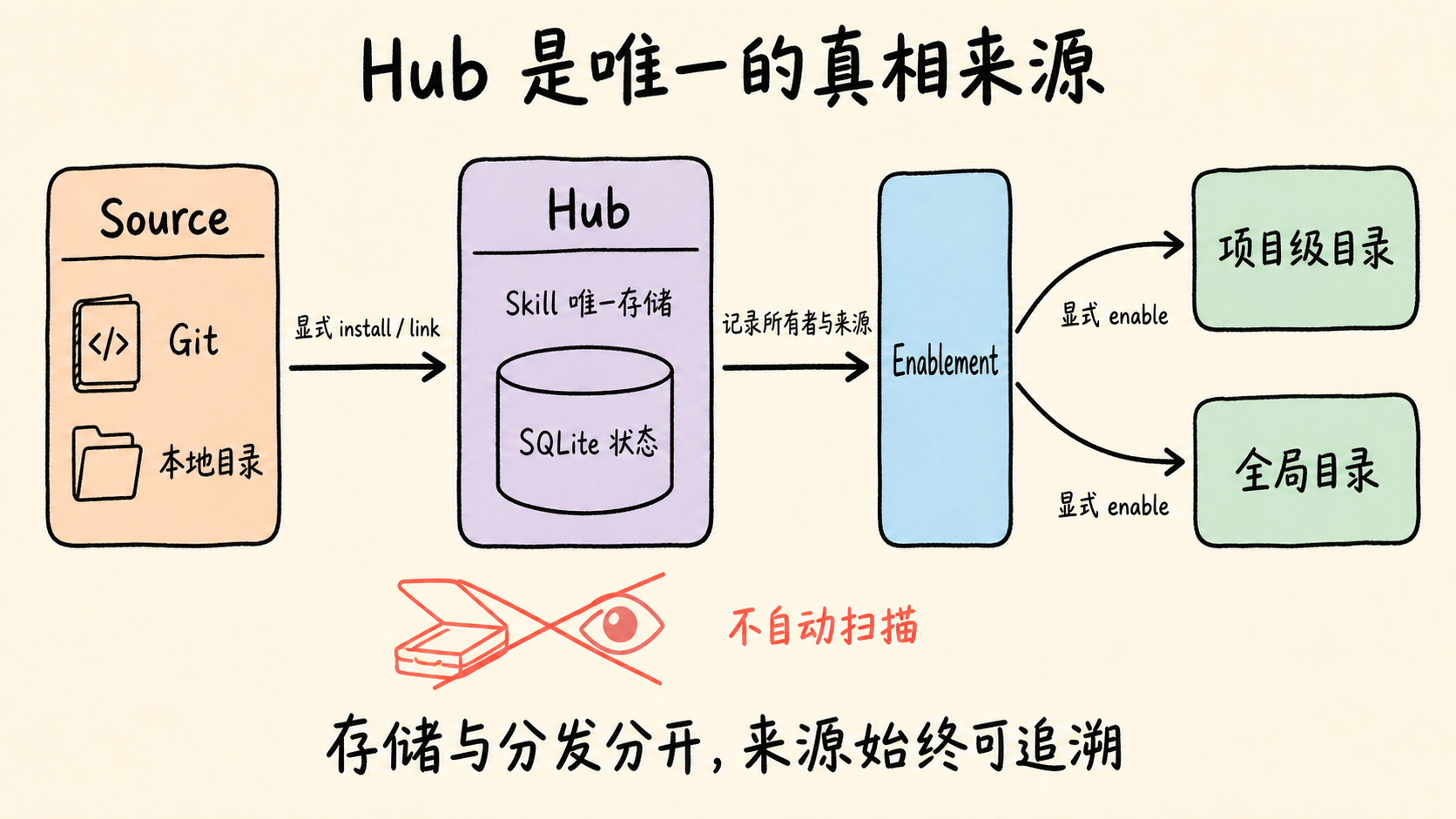
Skill Port has three key concepts:
| Concept | Meaning | Example |
|---|---|---|
| Hub | Physical storage for every Skill, with state tracked in SQLite | One baoyu-translate exists in the Hub |
| Enablement | Expose a Skill to a project or global target | sklp enable baoyu-translate --global |
| Source | Where a Skill came from: Git, a copied local directory, or a linked local directory | sklp install https://github.com/owner/skill.git |
The Hub does not scan the file system to discover Skills. Every Skill must be explicitly installed or linked into the Hub, then explicitly enabled for a target. This follows one clear rule: explicit ownership is safer than implicit discovery. Agent Skill directories are shared resources; automatic discovery would make ownership and provenance ambiguous.
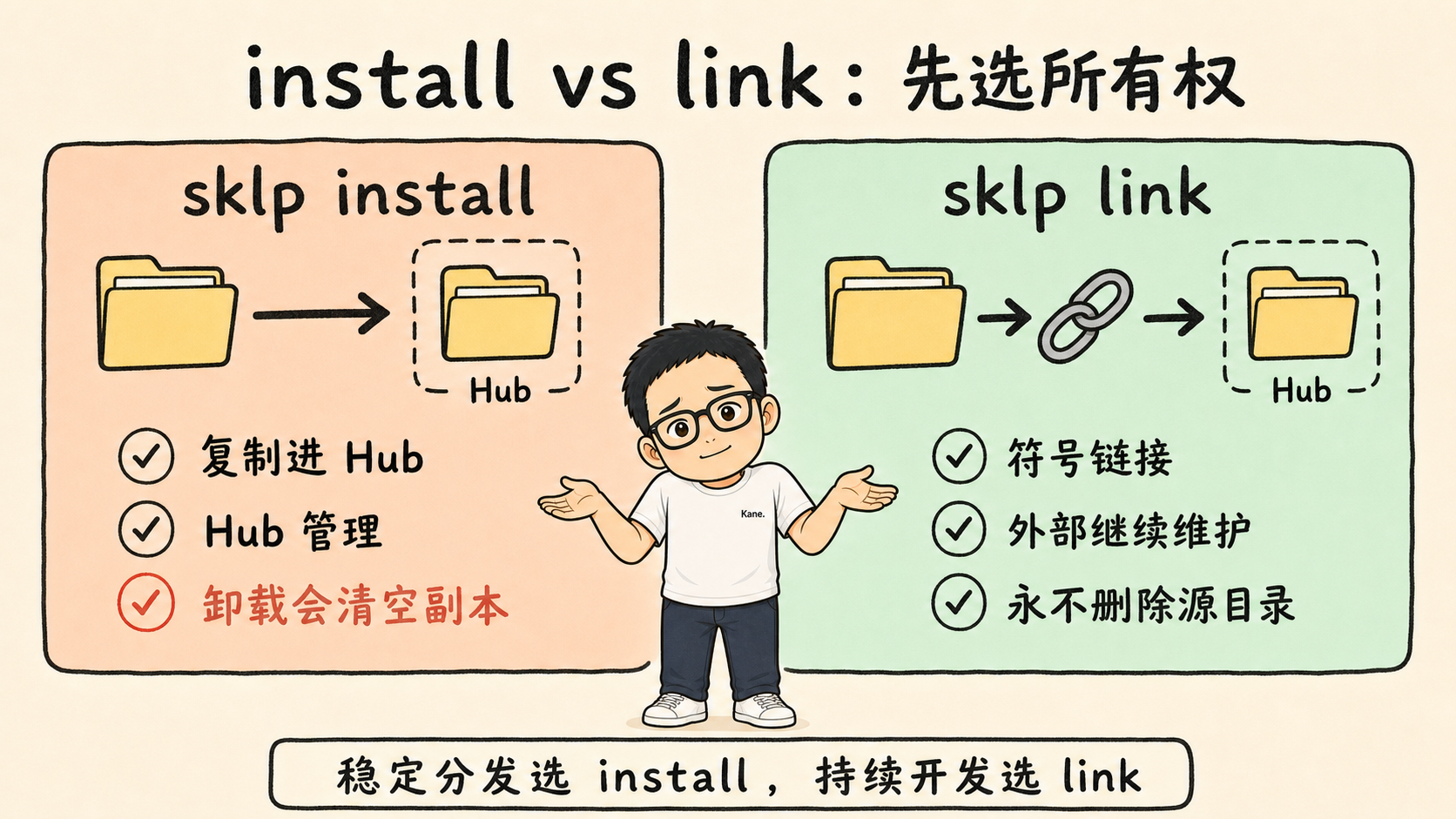
install and link are different ownership models
sklp install ~/skills/my-skillcopies the directory into the Hub. The Hub becomes its manager. Use this for a Skill that no longer needs external edits or for a Git source.sklp link ~/skills/my-skillcreates a symbolic link in the Hub. You continue maintaining the original directory; the Hub only distributes it. Use this for a Skill under active development or with an external owner.
The distinction controls uninstall behavior: sklp uninstall can clear copied Skills inside the Hub, but never deletes a linked source directory outside the Hub.
Project and global enablement
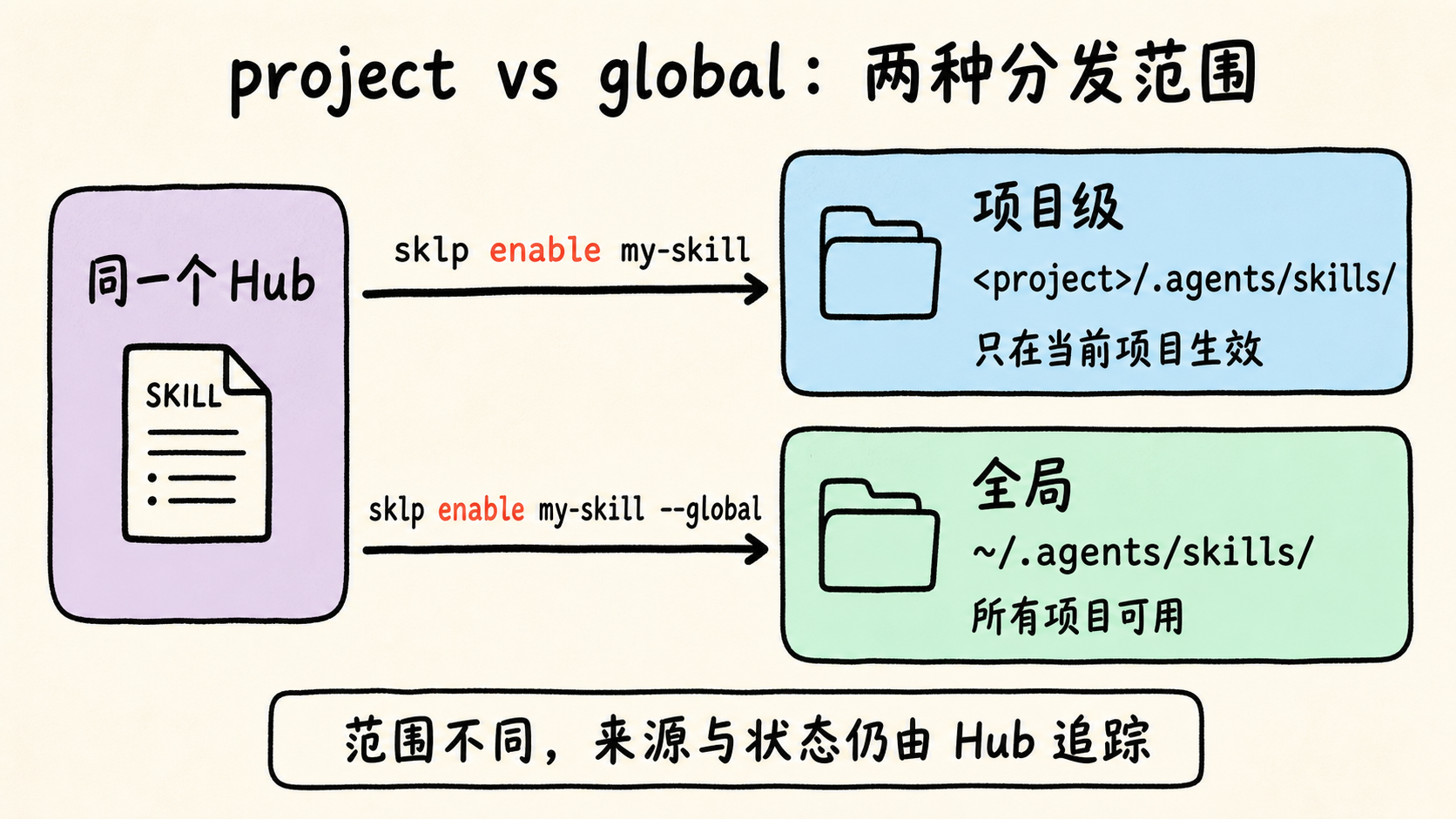
- Project:
sklp enable my-skillenables the Skill at<project>/.agents/skills/; it applies only to that project. - Global:
sklp enable my-skill --globalenables it at~/.agents/skills/; every project can use it.
Enablement records track both entry points. With sklp remove --force, Skill Port removes only entries it created. Files and links in ~/.agents/skills/ that were created outside Skill Port remain untouched.
Desktop and CLI share the core
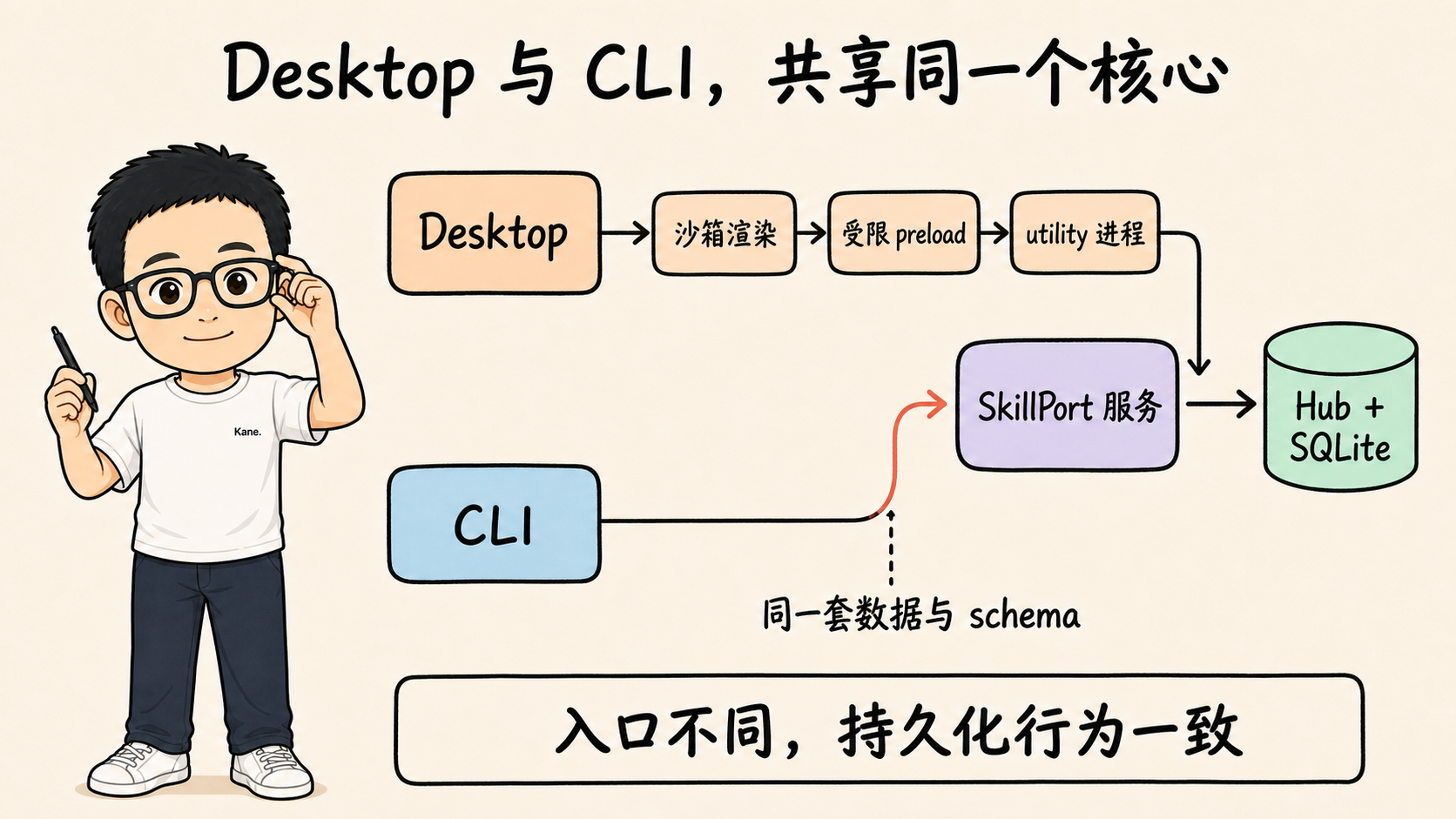
Desktop is not a GUI wrapper around CLI and does not parse stdout. It uses Electron 43 with a fully sandboxed renderer (no Node, file system, or raw IPC). A restricted preload sends requests to the main process, and an isolated utility process calls the DesktopSkillPort application facade. Persistent operations end in the same SkillPort service class used by CLI, sharing the Hub and SQLite schema.
This means a Skill installed in CLI can be enabled in Desktop, and vice versa.
Quick start
Requirements: Node.js ≥ 22.16. Installing a Skill from Git also requires the system Git client.
Ask an agent to install it
Send this instruction to a coding agent that can run terminal commands:
Using https://github.com/kanelogger/SkillPort, install Skill Port CLI globally. First check the Node.js version, then verify with
sklp --versionandsklp agent setup. If permissions or PATH are a problem, report them instead of bypassing them.
Desktop
Install Skill Port Desktop 0.1.4.